
What's New: November 2025
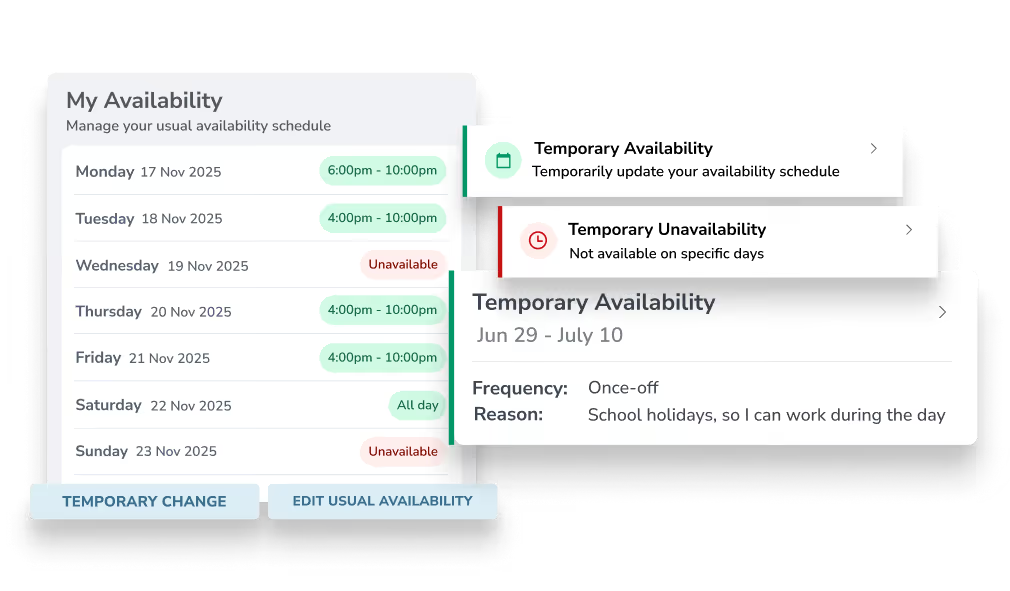
Employees can now set their regular work availability, helping ensure they’re rostered shifts they can work. This sits alongside our existing unavailability feature, and staff can set either ongoing or temporary hours that they’re available.
For example, a school-aged employee might set their regular availability to after 4pm during the school term, then add temporary availability during school holidays to pick up more daytime shifts.
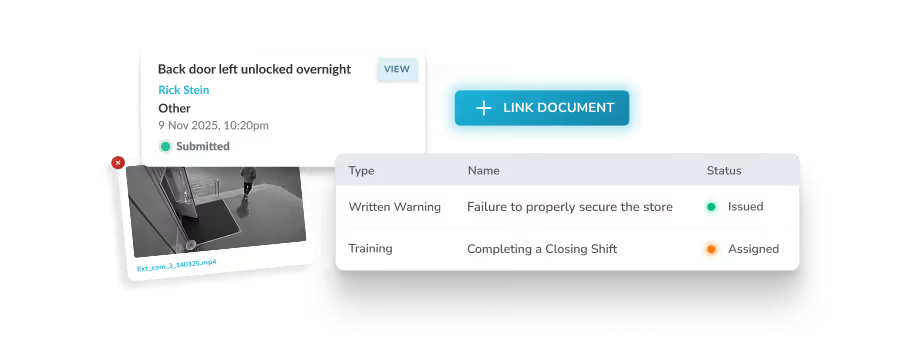
Keep your HR processes organised and easier to follow with the new Related Documents feature. Link HR items together and instantly get a clear view of the events, actions, and follow-ups that form the full story.
For example, you can complete an incident report, and link any related warnings and follow-up training to prevent it from happening again.
This feature is available across all HR modules including:
- Surveys
- Forms,
- Performance Reviews
- Training
- Warnings, and;
- Incidents
When documents form a chain, you’ll see every connected item in one place, helping you keep staff records tidy and your HR trail easy to follow.
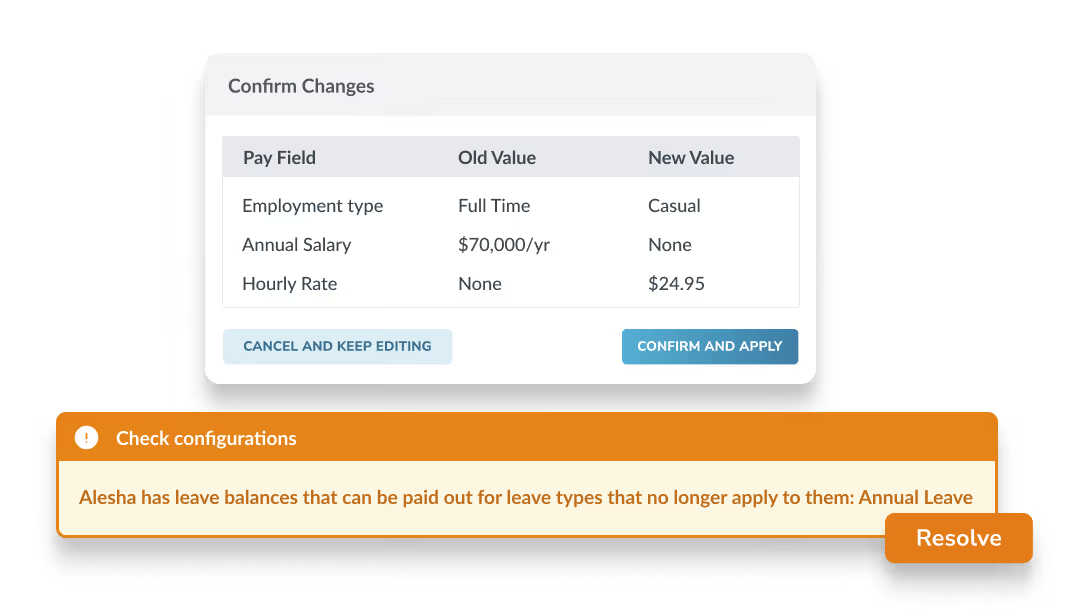
We’ve extended our automatic leave cash-outs beyond termination payments. Now, you can automatically cash out leave when an employee moves from a leave-accuring employment type to a non-accruing type, for example Full Time to Casual.
When this happens, you can add an extra line item with the unused leave balance based on the employee’s previous pay rate. Make sure you’ve met any outstanding leave liabilities by setting paychecks to flag unused leave in payroll settings.
This functionality is a direct benefit of having your workforce management and payroll processes in one system, rather than keeping track of changes in multiple platforms.
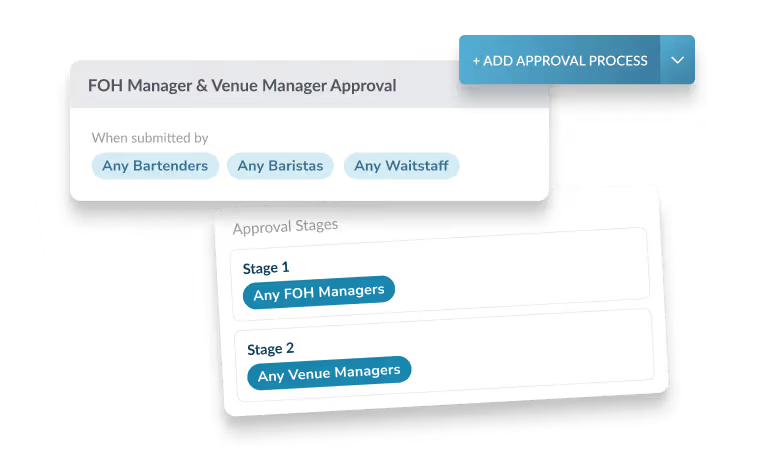
When your forms need sign-off from multiple teams or managers, you can make sure everyone has visibility through multi-stage workflows and sequential stages.
Key features:
- Stage-by-stage progression: Approvals move through stages in sequence. For example, Stage 1 might require team manager approval, then Stage 2 requires department manager approval.
- Prevent duplicate approvals: Users can only approve once per stage.
- Declining: If any approver declines at any stage, the form is immediately marked as declined without progressing further.
- Mobile app: All approval and decline functionality works in the mobile app.
- Audit trail: View a complete history of all approvals and declines, showing who approved at each stage, when they approved, and any comments they provided.
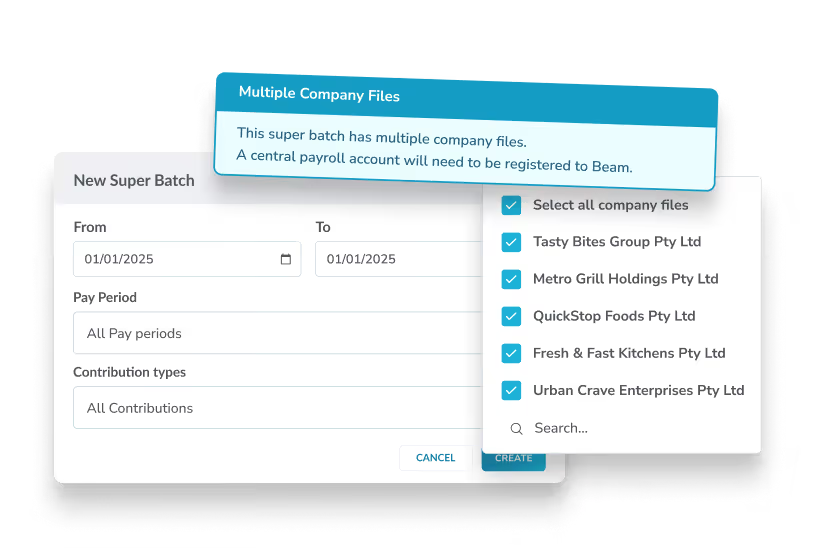
You can now include multiple company files in a single super batch when sending payments to Beam, Tanda’s embedded super clearing solution. No more creating separate batches for each integration, just pick the files you want and submit everything together.
This cuts down on repetitive admin and helps payroll teams process super faster, cleaner, and with fewer clicks, perfect for upcoming Payday Super legislation.
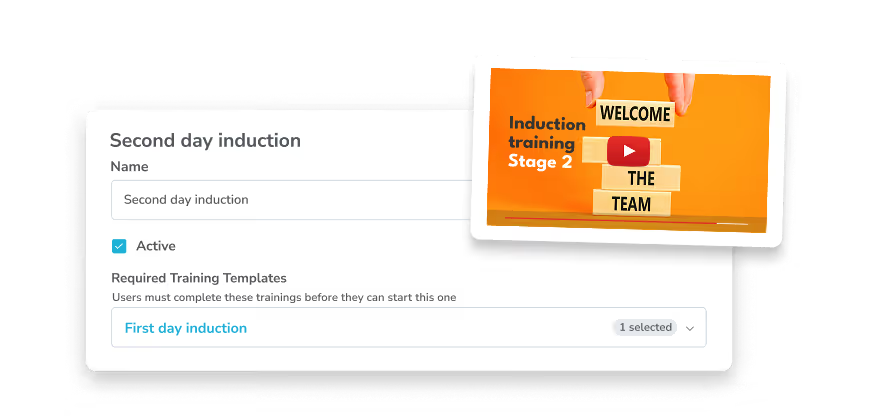
Build clearer learning pathways with new prerequisite training. For more extensive training programs, you can now require employees to finish key modules before moving on to the next. Any training with unmet prerequisites will stay locked until the required steps are completed.
This keeps development structured, reduces manual follow up, and helps your team build the right skills in the right order.
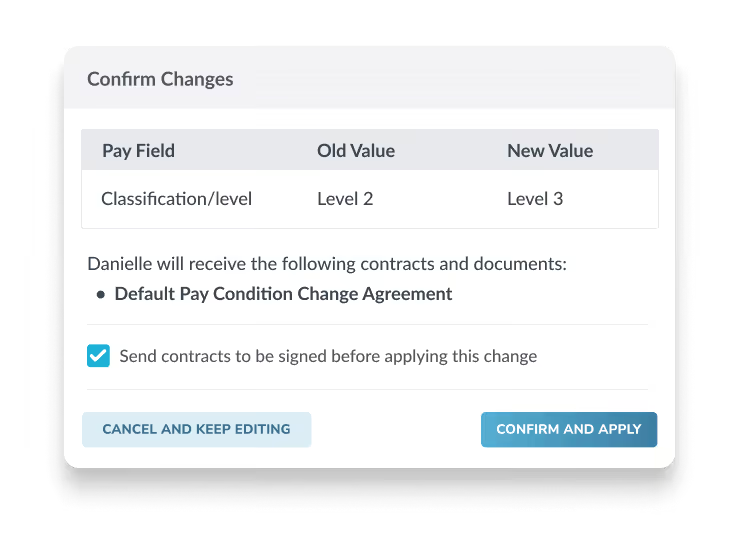
When changing an employee’s pay condition, you can now set them to apply only after an employee has signed the corresponding contract.
With a strong paper trail attached to every condition change, this ensures all payroll impacting changes have a clear record of acceptance and are stored against the relevant employee for easy access.
We’ve also introduced the ability to draft pay condition changes before scheduling them. This is particularly helpful if changes need to be reviewed by other teams before taking effect, or you’re waiting on more information to complete the changes.
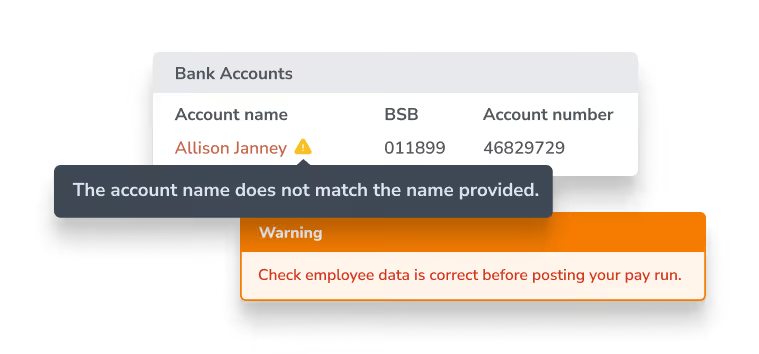
Tanda Payroll now supports Confirmation of Payee checks, helping you verify bank details before wages are paid. When you add bank information for an employee, Tanda checks whether the account name appears to match the BSB and account number, similar to how some banks verify details when you transfer funds.
What you can expect:
- Alerts when account details look incorrect
- Confirmation when the account name appears to match
- Warnings inside pay runs for any employee with mismatching details
This feature is available for Tanda Payroll customers and helps reduce mistakes and prevent misdirected payments.
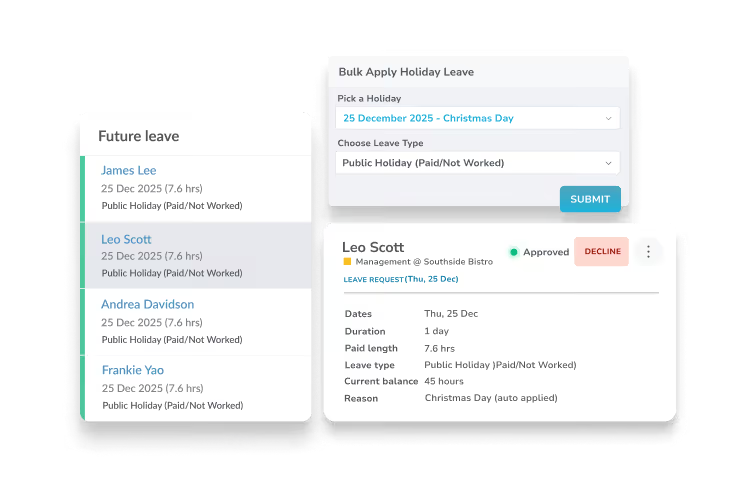
Process public holidays faster in Tanda with a new tool that lets you automatically create approved leave requests in bulk. You can apply this to past or future public holidays up to one year in advance.
Choose the holiday date, select the leave type you want to apply, and Tanda will create approved requests for every eligible employee, making holiday admin faster and easier for your team.
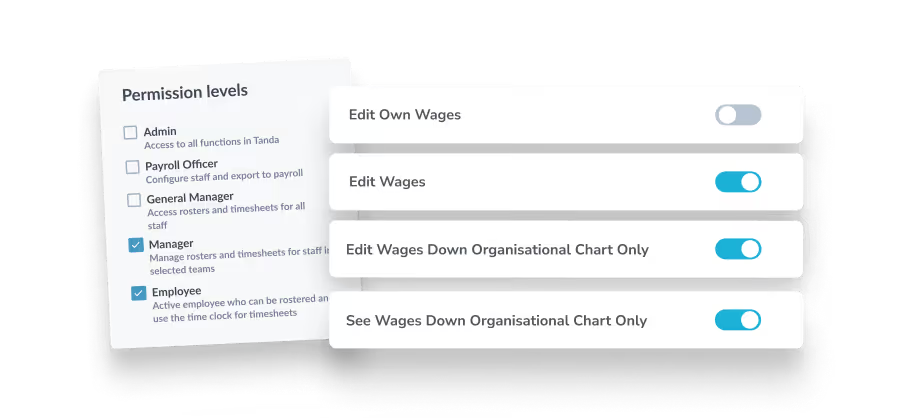
Give your team the right level of wage visibility with improved permission controls for Managers and General Managers. These settings make it easier to manage who can view or edit wages across your organisation while keeping sensitive information limited to the right people.
You can now choose to:
- See wages down the organisation chart only
- Edit wages down the organisation chart only
- Manage wage visibility at a more granular level
These options can be combined to create layered access, perfect for businesses where some managers need broader oversight, while others should only see the staff they supervise.

See how Tanda works. Get a product demonstration
See how Tanda can help you employ and manage your hourly team in Australia.
SEE TANDA